

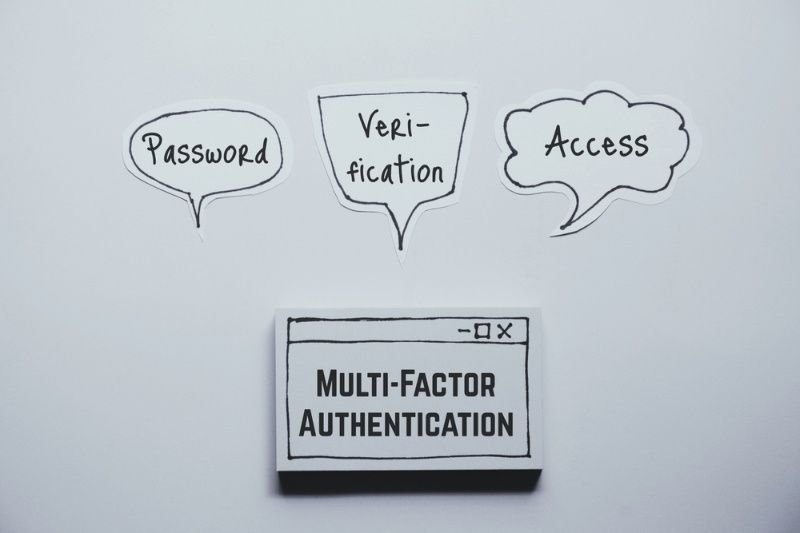
Let's be honest, a password by itself just doesn't cut it anymore. Credentials leak, get guessed, or end up for sale on some shady forum almost daily, and once one site's database gets cracked, hackers try that exact password everywhere else, too. Multi-Factor Authentication (MFA) exists because of this problem. It adds checkpoints beyond the password, so a stolen login isn't automatically a way in. At this point, it's less "nice to have" and more expected. Here's a real look at what MFA means, how it actually works, and where you're probably already running into it without realizing.
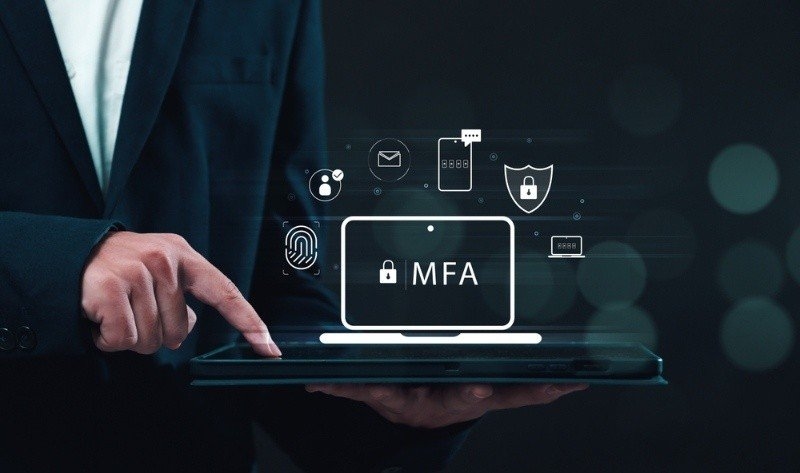
At its core, MFA just means the system won't trust a password alone. It wants a second (or third) form of proof before letting anyone through. Each check comes from a different bucket, so even if someone gets your password, they're still stuck without the other piece. Yes, it's one more step for you. But for whoever's trying to break in, it's a much taller wall. That trade-off is really the whole idea.
Nearly every breach follows the same script: a password gets stolen, sold, or reused somewhere it shouldn't be, and then bots quietly test it against a pile of other accounts. MFA is what breaks that pattern. The attacker might have the password, sure, but they still don't have the thing sitting in your pocket or the fingerprint on your hand. That's why banks, employers, and even Instagram keep bugging you to turn it on. Annoying, maybe. Effective, definitely.
Strip away the jargon, and the types of Multi-Factor Authentication really just come down to three buckets, and most real-world setups mix two of them.
| Factor Category | What It Means | Common Examples |
| Knowledge | Something you know | Password, PIN, security question |
| Possession | Something you have | Phone, security key, smart card |
| Inherence | Something you are | Fingerprint, face scan, voice ID |
Some companies push it further with location checks or behavior scoring, quietly watching things like your device, the time you log in, or which network you're on before deciding whether to ask for more proof.
Also Read: What is the Importance of AI Data Privacy in 2026?
People use these two terms like they're twins, but they're not quite. 2FA vs MFA basically comes down to a number. Two-Factor Authentication means exactly two steps, full stop. MFA leaves room for two, three, or as many layers as a system decides it needs.
So what actually happens the moment you log in somewhere? How does MFA work, step by step? You type in your username and password like always, nothing new there. Then the system pauses and asks for something else, maybe a code, maybe your fingerprint. That second piece gets checked quietly in the background against what's on file. Only once everything matches does the door actually open. Time-based codes, push alerts, and biometric scans are doing most of that heavy lifting today.
Odds are you've already run into a handful of MFA examples without thinking twice about it.
A lot of platforms just stack two of these, password plus push alert, say, to stay secure without turning login into a chore.
Must Try: Data Breach Prevention for Leak-Proof Firms & Teams in 2026
Not every method fits every situation, honestly. It's worth thinking about how sensitive the account actually is versus how much friction you're okay with.
Rolling MFA out across a team is rarely as smooth as it sounds on paper, even when everyone agrees it's the right call. Some people just find the extra step irritating, especially if they're logging in and out a dozen times a day. And then there's the practical stuff: a lost phone, a dead battery, no signal in the elevator, any of which can lock someone out at the worst possible time. IT ends up buried in tickets, just helping folks get back into their own accounts. None of this means MFA isn't worth doing. It just means the rollout needs a bit of thought, not a blind flip of the switch.
Thankfully, most of these headaches have straightforward fixes. Backup codes, a secondary device on file, and admin-level recovery options—these keep people from getting permanently locked out over something small. Adaptive authentication helps too, since a trusted device on a familiar network can often skip the extra prompt entirely. Give it a few weeks, and most users stop noticing MFA at all; it just folds into the normal login routine. A little planning up front really does save a lot of frustration later.
Multi-Factor Authentication (MFA) has quietly shifted from optional to something close to mandatory, and for good reason. It won't make anyone hack-proof; nothing does, but it raises the cost of breaking in just enough to stop most casual attacks cold. Whether you're protecting a personal inbox or a whole company network, it belongs in the setup somewhere. Grab an authenticator app or a hardware key and start there. You'll thank yourself later.
Also Read: Best Practices for Data Security for the Safety of Business
Not exactly. 2FA sticks to exactly two verification steps, while MFA allows two or more. That makes MFA the broader, sometimes tougher category, particularly handy for accounts holding sensitive personal or financial information.
It cuts risk a lot, but nothing's completely bulletproof. Attackers occasionally lean on phishing, SIM swapping, or notification fatigue to slip past it. Picking authenticator apps or hardware keys over plain SMS lowers that risk further.
Yes, especially for email, banking, or anywhere money moves. It protects against the password leaks and credential-stuffing attacks that have gotten disturbingly common across shopping sites and social platforms in recent years.
Authenticator apps like Google Authenticator or Microsoft Authenticator are a solid entry point. They're free, work without signal, and generally hold up better against attacks than plain SMS codes for most everyday accounts.
A little, though push notifications and biometric scans usually take a few seconds at most. Adaptive systems can also skip extra prompts for devices and locations they already trust, keeping low-risk logins quick.
This content was created by AI